Cool Minecraft Skins — Free to Download and Edit
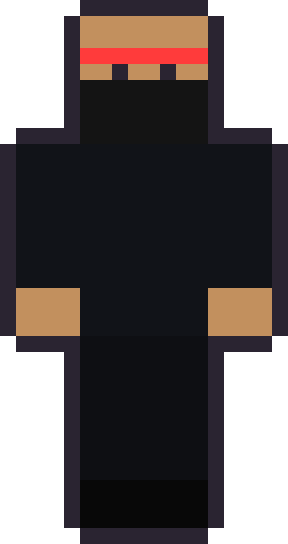
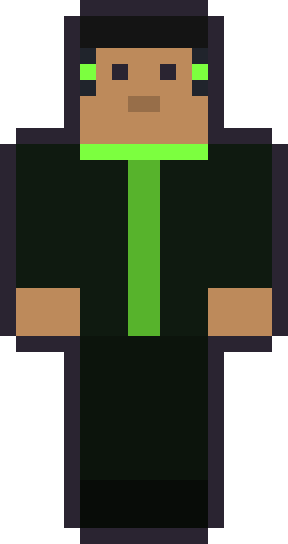
The flagship SkinStash pack: six original cool Minecraft skins built around dark palettes, neon trim and masked silhouettes. Every one is a free 64×64 PNG you can grab and make your own — hover a card to see the exact file first.
On this page
The cool pack, at a glance
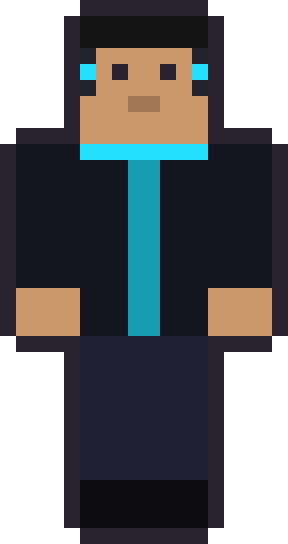
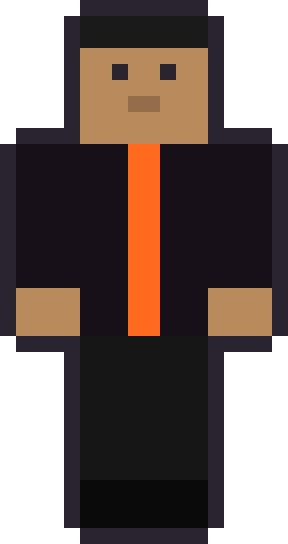
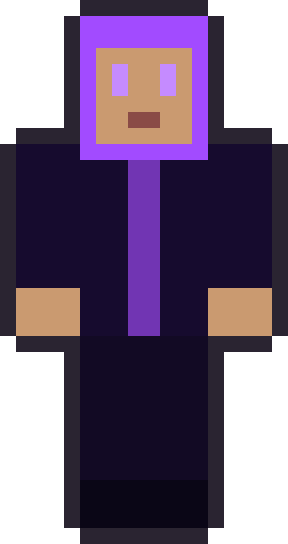
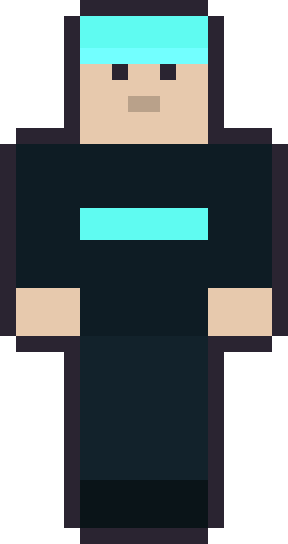
Cool Minecraft skins are the most-searched style there is, and the recipe is consistent: a dark base, one confident accent colour and a strong silhouette. The six skins in this pack each take that idea somewhere different — a neon-wired hoodie, a masked ember ninja, a frost-toned hacker, a glowing toxic-green look, a deep-violet hooded runner and a molten-orange stripe. All six are original artwork, drawn here from scratch, and all six are free.
Hover any card below to peek the raw 64×64 PNG — the actual file you would download — then hit grab. There is no sign-up, no upload step and no watermark. If a look is almost right but not quite, that is the point: open it in a pixel editor afterwards and change whatever you want.
One more thing worth saying up front, because it shapes everything on this page: nothing here is a teaser for a paid upgrade. There is no premium tier, no locked pack and no "HD" version behind a paywall. What you see is what you download, at the full 64×64 resolution the game uses. We would rather ship six skins that are genuinely finished and free than a hundred we are trying to upsell.
The cool pack
6 skinsSix originals — dark palettes and one loud accent each. Grab the 64×64 PNG and edit freely.






Why every skin here is original — and free
Here is the honest answer to a question most skin sites dodge: the skins you find on NameMC, Planet Minecraft and The Skindex belong to the players who made them, not to whoever re-hosts them. Copying those into a gallery and slapping a download button on them is republishing someone else's art. We do not do that. Instead we draw our own.
That single decision is what lets us promise the two things this page is built on. First, these downloads are free and will stay free, because we own the artwork and are choosing to give it away as starter skins. Second, you are allowed to edit them — recolour the hoodie, swap the hair, redraw the face — because a starter skin is meant to be a starting point, not a finished, locked-down product.
The one thing we ask in return is simple: please do not take our skins and re-upload them as your own pack somewhere else. Use them, remix them, wear them on any server you like — just do not claim the raw art as yours. That keeps the locker something we can keep restocking.
What actually makes a skin look cool
A cool skin is mostly about restraint. The looks that read best from across a lobby use a near-black or deep-tone base and then commit to exactly one accent — cyan, ember orange, toxic green — rather than scattering five bright colours around. Contrast does the work: the darker the body, the more a single glowing stripe or zip pops against it.
Silhouette matters just as much as colour. A hood that frames the face, a mask that hides everything but the eyes, or a pair of headphones changes the outline of the head, and the outline is what other players actually notice first at Minecraft's blocky resolution. We lean on those shapes deliberately, which is why the ninja and the hooded runner read instantly even as tiny thumbnails.
Finally, small face details carry a lot of personality across just eight-by-eight pixels. A half-lidded look reads as calm and confident; a single visor bar reads as tech. When you edit one of these, resist the urge to add detail everywhere — the coolest skins are usually the ones that left space alone.
How to use a skin after you download it
Applying a downloaded skin takes about a minute. On Java Edition, save the PNG, sign in at your Microsoft account's Minecraft profile page, and upload the file under Skins — you can pick the classic or slim model there. Every skin on this site is drawn in the classic (4-pixel arm) layout, but it will still load on the slim model; the sleeves just sit a touch wider.
On Bedrock Edition — phones, tablets, console and Windows — you do not upload anything to a website. Open the in-game skin picker (the coat-hanger icon on the main menu), choose to import from your device, and select the PNG you saved. The change applies the next time you enter a world.
If you get stuck, our step-by-step install guide walks through both editions with one of these skins as the example, and the 64×64 format explainer covers what the file itself is doing if you plan to edit it.
The cool pack, skin by skin
Each of the six is built around a single idea, so it helps to know what you are grabbing. Neon Circuit is the everyday cool skin: a charcoal hoodie with a cyan zip and side headphones, the most versatile look in the set and the easiest to recolour. Void Runner drops the hood over the whole head, hiding the hair and leaving a calm, faintly glowing stare — the most anonymous, mysterious option, and a favourite for night builds.
Ember Ninja is the boldest silhouette: a full face mask, a red headband and nothing showing but the eyes. It reads clearly at any distance, which is why it works so well in fast lobbies. Toxic Glow keeps the same blacked-out body but veins it with a bright acid green, while Lava Byte swaps the accent for a single molten-orange stripe down the chest — the most minimal skin here, and proof that one line of colour is often enough.
Frost Hacker is the cold-palette outlier: pale skin, a deep teal base and an icy mint bar across the eyes, with a beanie instead of a hood. If you want cool without going fully dark, start there. Between the six, you have a hood, a mask, a beanie and two open-faced looks — four different head silhouettes — so there is a distinct shape for whatever build or server you are dressing for.
Pick your pack
Cool is the flagship, but it is one of six themed lockers. If a friend wants something softer or sillier, here is how the packs compare so you can send them straight to the right shelf.
| # | Pack | The vibe | Skins | Best for | Signature colours |
|---|---|---|---|---|---|
| #1 | Cool | Dark palettes, neon trim, masks | 6 | Servers, PvP and night builds | Charcoal + one electric accent |
| #2 | Cute | Pastels, hearts, soft hair | 6 | Peaceful worlds and friend groups | Pink, mint, lilac |
| #3 | Girl | Long hair, dresses, variety | 6 | Roleplay and character builds | Warm reds, greens, violet |
| #4 | Boy | Caps, hoodies, jerseys | 6 | An everyday all-rounder | Blue, green, orange |
| #5 | Funny | Costumes and joke faces | 6 | Getting a laugh in chat | Banana yellow, toast tan |
| #6 | Animal | Cat, fox, panda, bunny, frog | 6 | Cozy and cottage-core worlds | Fur browns and leafy greens |
Cool skins for PvP and servers
For competitive play, the best cool skin is a readable one. In a fast PvP fight or a crowded lobby, a high-contrast look — dark body, bright accent — helps teammates track you and reads clearly against most map backgrounds. The masked ninja and the toxic-green look were drawn with exactly that in mind: bold outline, one loud colour, nothing fussy.
There is no gameplay advantage to any skin — they are purely cosmetic, and any site claiming a skin makes you hit harder is selling you nothing. What a good skin does buy you is recognisability: on a server you visit often, a distinctive look becomes your name before anyone reads your tag. Cool palettes happen to be the easiest to make distinctive.
One practical note for servers: some networks cache skins for a while, so if you change to one of these and still see your old look, give it a few minutes or rejoin. That is the server catching up, not a problem with the file.
It is also worth checking which edition your server runs before you pick a look. Java and Bedrock handle skins slightly differently, and a few Bedrock realms restrict custom skins entirely for younger lobbies. If yours does, the skin still applies everywhere else you play — it is the realm's setting, not the file. When custom skins are allowed, any of these six will show up exactly as you see them here, because the preview on each card is rendered straight from the file you download.
Editing a cool skin into your own
The fastest way to a skin that feels like yours is to start from one of ours and change one thing at a time. Recolour the accent from cyan to your favourite colour, swap the hood for hair, or move the visor up into sunglasses. Because these files are standard 64×64 PNGs, any pixel editor opens them, and our guide to designing your own skin covers the layout so you always know which square maps to which body part.
A good discipline while editing: keep the base dark and change only the accent first. Most edits that go wrong go wrong because someone brightens the whole body and loses the contrast that made the skin cool in the first place. Change the accent, live with it for a session, then decide if you want to touch anything else.
When you are happy with it, save and re-upload exactly as you did the first time. There is no limit to how often you can change your skin, so treat these as a wardrobe rather than a one-time pick.
Free skins vs. paid Marketplace skins
Everything on this page is free, and for the vast majority of players free skins are all you'll ever need. It's worth knowing the paid alternative exists, though, so you can make an informed choice. The official Minecraft Marketplace sells professionally made skin packs (and other content) for Minecoins, the game's premium currency. Those are different from what we do: they're polished commercial packs, often animated or capes-included, bought inside the game.
If you decide you want them, you can browse the official Marketplace or pick up Minecoins gift cards to spend there. Those two links are affiliate links — if you buy after clicking, we may earn a small commission at no extra cost to you, and it never changes what we recommend. Our own skins stay free regardless. That's the honest split: free originals here, paid packs there, and you never have to spend anything to use this site.
Cool Minecraft skins — FAQ
Are these cool Minecraft skins really free?
Yes. Every skin in the cool pack is a free 64×64 PNG download with no account, no upload step and no watermark. They are free because we drew them ourselves and are giving them away as starter skins.
Do these skins work on both Java and Bedrock?
Yes. Each file is a standard 64×64 skin, which both editions accept. On Java you upload the PNG at your Microsoft account profile; on Bedrock you import it through the in-game skin picker.
Can I edit a cool skin after downloading it?
Absolutely — that is what a starter skin is for. Open the PNG in any pixel editor and change the colours, hair or face. The only thing we ask is that you don't re-upload our artwork as your own pack.
Classic or slim — which model should I choose?
Every SkinStash skin is drawn in the classic 4-pixel arm layout. It also loads on the slim (Alex) model, where the sleeves simply sit a little wider. If you're unsure, pick classic.
Does a cool skin give me any advantage in the game?
No. Skins are purely cosmetic and change nothing about how you play. A cool, high-contrast skin only helps in that it makes you easy to recognise on a server you visit often.
Where do these skins come from — are they from NameMC?
No. Skins on community sites belong to the players who made them, so we never copy or re-host them. Everything here is original art we painted from scratch, which is exactly why it's free to give away.