Girl Minecraft Skins: 6 Free Originals to Download
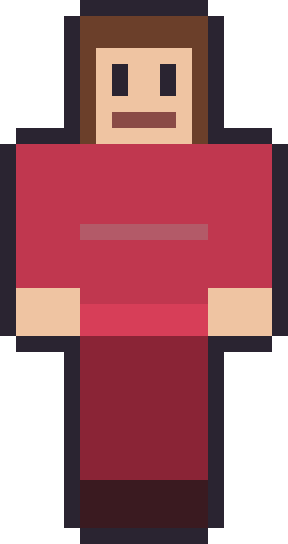
Girl Minecraft skins are one of the most-searched styles in the game, and the girl pack answers it with six original skins built for range rather than one narrow look. There is a rose-red dress, an emerald collared top, a blonde sunset palette, a dyed-violet moody look, a denim cardigan and a warm caramel sweater — six distinct personalities, all drawn from scratch and all free to download as 64×64 PNGs.
Because we drew every one ourselves, you can grab the file with no account and edit it however you like. That also means these aren't community uploads borrowed from somewhere else — they're original starter skins, so there's nothing stopping you recolouring the dress, changing the hair or adjusting the skin tone until it feels like your character. Hover a card below to preview the raw skin, then download it. Here's the whole pack.
The girl pack
6 skinsSix originals with long hair and varied styles. Free 64×64 PNGs — hover to peek, click to grab.






What makes a good girl skin
A strong girl skin usually comes down to two things: a clear hairstyle and an outfit with one confident colour. At Minecraft's blocky resolution you don't have room for fine detail, so the silhouette of the hair and the main colour of the top do almost all the communicating. Each skin in this pack picks a lane — long and flowing, tied into a bun, or framed around the face — and commits to it rather than hedging.
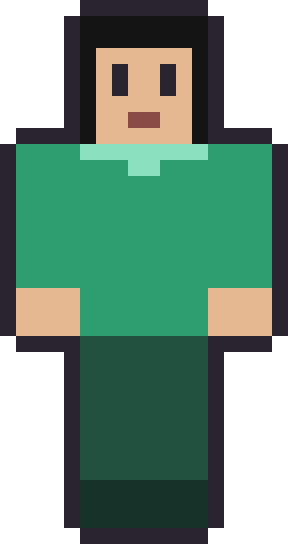
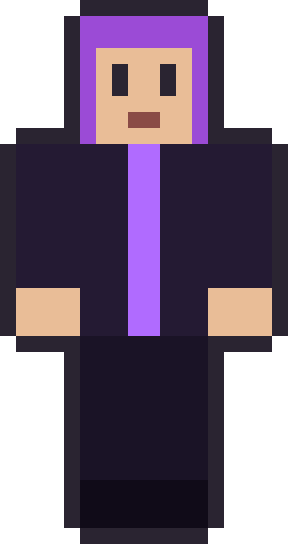
Colour is the other half. Rosewood leans on a single rich red; Emerald Braid pairs black hair with one green; Violet Muse goes moody with dyed purple over near-black. None of them use more than two or three colours on the body, and that restraint is deliberate — it's what keeps them looking designed rather than busy. When you edit one, the safest change is to swap the main colour and leave the structure alone.
How long hair works on a 64×64 skin
Long hair on a Minecraft skin is mostly an illusion created on the head. The head is a cube with six faces, so "long hair" means painting the top, back and sides of that cube in a hair colour and letting the front fringe frame the face. On a 64×64 skin you can push it further using the second "hat" layer, which sits just outside the head and gives the hair a little extra volume around the edges.
That's why every skin here is 64×64 rather than the older 64×32 format: the newer layout has that extra overlay space and separate left and right limbs, which makes hair, sleeves and detail far easier. If you want to understand the file itself before you edit one, the guide to 64×64 skins maps out exactly which squares control which body part.
Skin tones and variety
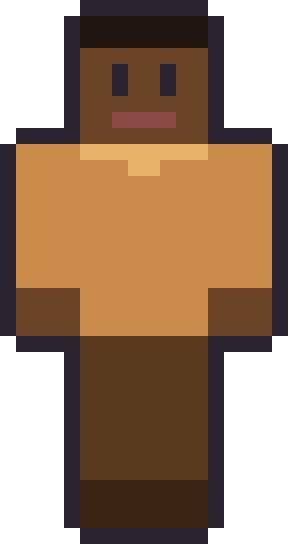
Variety here isn't only about hair colour. The pack spans a range of skin tones on purpose — Cocoa Curls, for example, pairs a deep skin tone with a warm caramel sweater and a tidy bun — because a good gallery should have someone in it who looks a little like whoever's browsing. If none is an exact match, that's what editing is for: skin tone is one of the easiest things to change in a pixel editor, and adjusting it doesn't touch the rest of the design.
The outfits cover different moods too — a dress for roleplay, a cardigan for an everyday look, a darker palette for something with more attitude. The idea is that one of the six is close to what you already had in mind, so you can either wear it as-is or use it as a base and spend five minutes making it yours.
The girl pack, skin by skin
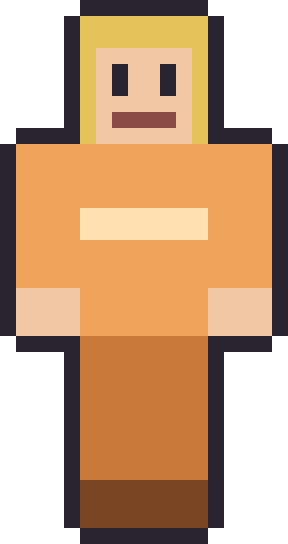
It helps to know what each one is going for. Rosewood is the classic look of the set: long chestnut hair and a rose-red dress, the most "dressed-up" of the six and the one that suits roleplay and builds. Emerald Braid is quieter and sharper — jet-black hair over an emerald collared top — a good everyday skin that doesn't shout. Golden Hour is the warm one, blonde hair with sunset-orange stripes, and it reads brightly in daylight builds and beaches.
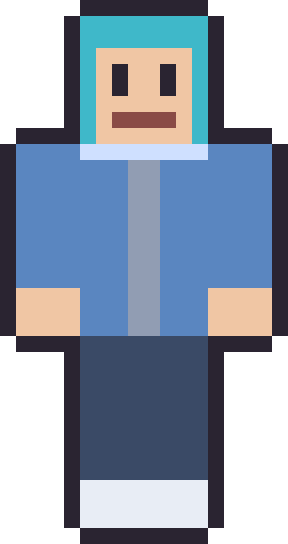
Violet Muse is the moody option: dyed-violet hair over a near-black outfit, the closest thing here to the cool pack, and a natural pick if you like a darker palette but still want long hair. Sky Cardigan splits the difference with teal hair and a soft denim cardigan — casual and friendly. Cocoa Curls rounds it out with a deep skin tone, a caramel sweater and a neat bun, and it's the cosiest of the six. Between a dress, a cardigan, a sweater and two everyday tops, there's a girl skin here for a party, a survival world or a quiet farming session.
Where girl skins fit best
These skins shine most in worlds where your character is on show: roleplay servers, hangout lobbies, screenshots and builds where you'll actually see yourself. In those settings a distinct hairstyle and a clear outfit colour make you instantly recognisable, which is worth more than any amount of fine detail. On a survival or PvP server the same rule applies — a clean silhouette reads better at a distance than a fussy one.
None of this affects gameplay, of course. A skin is purely cosmetic; it changes how your character looks and nothing else. What it does do is give a world a sense of "you," and on servers you play often, a recognisable look quietly becomes part of your identity there long before anyone reads your username.
Editing, matching and where to go next
Several of these share a palette with the cute pack, which makes them easy to pair with a friend — our matching skins guide collects the best duos. And if the dyed-hair, big-fringe looks here appeal, the anime-style skins lean further into that direction.
To apply any of these, save the PNG and upload it on Java at your Microsoft account profile, or import it through the in-game skin picker on Bedrock. Want the full range of the studio, including the darker, edgier looks? The cool Minecraft skins pack is the biggest set we've drawn and a good place to browse next.
Girl Minecraft skins — FAQ
Are these girl skins free to download?
Yes — every skin in the girl pack is a free 64×64 PNG with no account, no upload step and no watermark. They're free because we drew them ourselves.
Can I change the skin tone or hair colour?
Yes. Open the PNG in any pixel editor and recolour it — skin tone and hair are among the easiest things to change without affecting the rest of the design.
Do these work on Bedrock and Java?
Both. Each file is a standard 64×64 skin. On Java you upload it at your Microsoft account profile; on Bedrock you import it from your device in the in-game skin picker.
Are these copied from other skin sites?
No. Skins on community sites belong to the players who made them, so we never re-host them. Everything here is original artwork we painted ourselves.
Want the flagship set? Browse the full cool Minecraft skins pack — the biggest locker on the site.