Anime-Style Minecraft Skins: 6 Free Originals
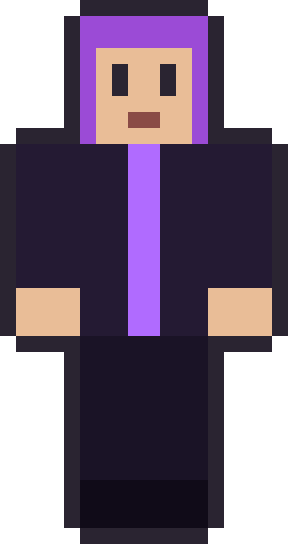
Anime-style Minecraft skins are about capturing a feeling, not copying a character. The look leans on bold, often dyed hair, a strong colour story and an expressive face — the visual language of anime translated into pixels. This set gathers six of our originals that lean that way, from a dyed-violet muse to a hooded runner. Every one is drawn from scratch and free to download as a 64×64 PNG.
An important note: these are anime-inspired original designs, not any specific show's character. We draw everything ourselves, which is what keeps them free to download and free to edit. Hover a card to peek the raw file, then grab it. Here's the set.
The anime-style set
6 skinsSix anime-inspired originals — bold hair and colour. Free 64×64 PNGs, yours to edit.






What gives a skin an anime feel
Three things read as anime at Minecraft's resolution. First, hair colour: bold, unnatural shades — violet, teal, candy pink — instantly signal the style, because natural hair colours read as ordinary and anime rarely is. Second, a strong single colour story on the outfit, so the character feels designed. Third, a clear, slightly larger-than-life expression on the face. None of these need fine detail; they need commitment to a look.
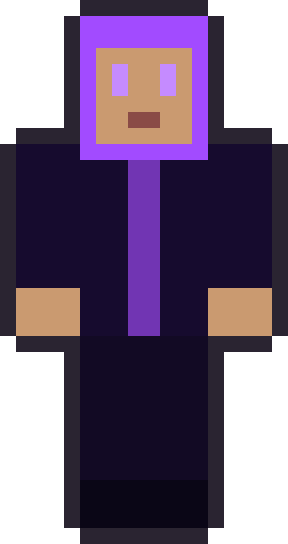
Hair does most of the lifting. Because a Minecraft head is a cube, the shape of the hair — a heavy fringe, long framing sides, a bold colour — is what sells the style from across a room. That's why the girl-pack skins with long dyed hair fit here so naturally, and why a hooded look like Void Runner reads as the moody, mysterious archetype anime loves.
The anime-style set, skin by skin
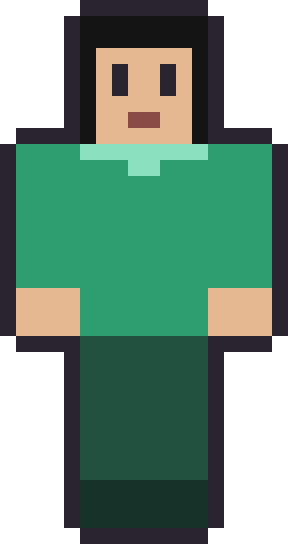
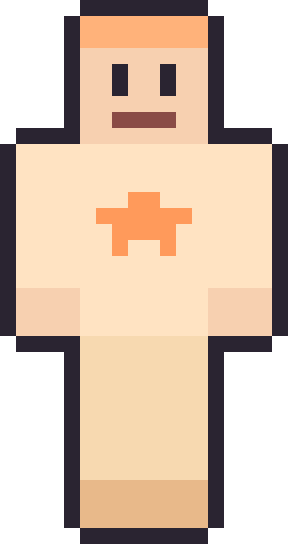
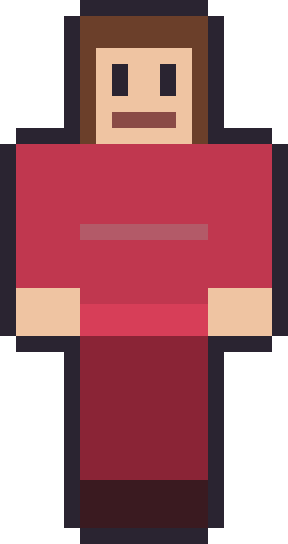
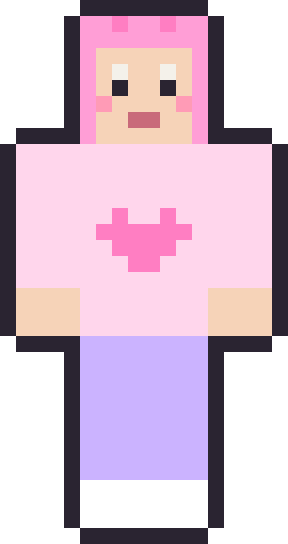
Violet Muse is the clearest example: dyed-purple hair over a moody near-black outfit, the archetypal cool-toned anime look. Emerald Braid keeps jet-black hair with a striking green top, quieter but still stylised. Void Runner drops a hood over the whole head for the mysterious, face-obscured character type. On the softer side, Peachy and Cotton Candy bring the bright-eyed, warm-toned energy of a slice-of-life lead, while Rosewood's long chestnut hair and red dress read as a classic protagonist. Six looks that each borrow a different anime archetype without copying anyone.
Making an anime skin your own character
The fun of an anime skin is inventing an original character around it, and these make good bases for that. Recolour the hair to your character's signature shade, change the outfit's main colour, and you have someone new. Because the files are standard 64×64 skins, the hair sits on the head cube and its second overlay layer — the 64×64 format guide shows exactly which squares those are, so you can reshape a fringe or add length without guesswork.
Keep the edits bold rather than fussy. Anime style at pixel scale is about big, confident colour choices, not tiny details you'll never see in-game. Change the hair, commit to one outfit colour, and give the face a clear expression — that's the whole recipe, and it's why these looks hold up as thumbnails and in a full-screen build alike.
A note on original characters
We deliberately don't publish skins of named anime characters, because those designs belong to their creators and studios. Everything here is an original design in the anime style — the mood and the techniques, not anyone's specific character. If you want to make a fan skin of a favourite character for your own private use, these are a solid starting shape to build from, but we'll always keep our published gallery original.
Hair colour is the whole game
If you take one thing from this set into your own edits, make it this: hair colour carries the anime look more than anything else. A perfectly ordinary outfit reads as anime the moment the hair is a bold, unnatural shade, because that single choice signals "stylised character" instantly. It's the cheapest, highest-impact edit you can make — recolour just the head's hair squares and a plain skin transforms.
Popular choices are the classic anime palette: candy pink, electric blue, mint green, silver-white and deep violet. Two-tone hair — a base colour with lighter tips or a contrasting streak — pushes it further and is easy to do by recolouring just the fringe or the overlay layer. Keep the rest of the skin relatively grounded so the hair stays the star; if everything is loud, nothing reads as special.
Faces and expressions at pixel scale
Anime is famous for big, expressive eyes, and you can hint at that even in an eight-by-eight face. Larger eye blocks, a small highlight pixel in each, and a simple mouth go a long way. The skins here keep expressions restrained because they need to read from a distance, but if you're editing for screenshots where the face is seen up close, you can afford to make the eyes bigger and add that signature glint.
The trap to avoid is over-detailing the face. There simply isn't room for eyelashes, irises and eyebrows all at once in that tiny square, and trying crams it into mush. Pick the one or two features that sell the expression — usually the eyes and a hint of mouth — and leave the rest clean. Restraint reads as style; clutter reads as noise.
One more thing that separates a convincing anime skin from a generic one: give the character a clear archetype in your own head before you edit. Are they the cheerful lead, the cool rival, the mysterious loner? Deciding that first makes every colour and expression choice easier, because you're dressing a personality rather than decorating a mannequin. The six here each committed to an archetype, and that commitment is why they read as characters rather than just brightly coloured skins.
It's a small mental step, but it changes the result completely. A skin built around "cheerful lead" naturally wants warm colours, a bright expression and an open, friendly outfit; one built around "mysterious loner" pulls toward dark tones, a hood and a calm, guarded face. Let the character decide, and the design almost draws itself.
Applying them and where to go next
To wear one, save the PNG and upload it at your Microsoft account profile on Java, or import it through the in-game skin picker on Bedrock. Making a duo with a friend? The matching skins guide has the best pairs. And the flagship cool Minecraft skins pack shares this set's darker, moodier energy.
Anime-style Minecraft skins — FAQ
Are these based on real anime characters?
No. They're original, anime-inspired designs — the style and mood, not any specific show's character. We keep our published gallery original, which is also what keeps it free.
Are they free to download?
Yes. Every one is a free 64×64 PNG with no account, upload step or watermark, because we drew them all ourselves.
How do I change the hair colour?
Open the PNG in a pixel editor and recolour the head's hair squares — the top, back, sides and the second overlay layer. Bold, single-colour changes read best.
Do they work on Java and Bedrock?
Both. Each file is a standard 64×64 skin. Java players upload it at their Microsoft account profile; Bedrock players import it in the in-game skin picker.
Want the flagship set? Browse the full cool Minecraft skins pack — the biggest locker on the site.