Cat & Animal Minecraft Skins: 6 Free Originals
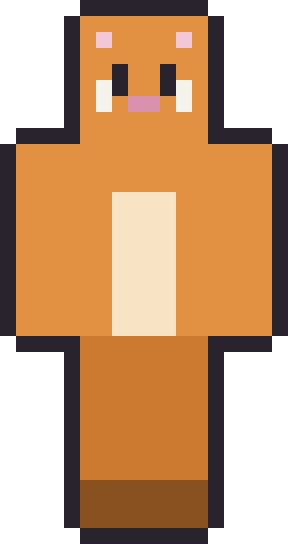
Cat Minecraft skins are one of the cosiest looks in the game, and the animal pack builds a whole little menagerie around them. There's an orange tabby, a tuxedo cat, a bright fox, a roly-poly panda, a cream bunny and a grinning green frog. Each one uses ears, a snout and a soft belly to read instantly as its animal — and each is original artwork, drawn from scratch and free to download as a 64×64 PNG.
As with every pack here, these are our own skins rather than community uploads, so you can grab them without an account and edit them freely. Hover a card to peek the raw file, then download your favourite critter. Here's the pack.
The animal pack
6 skinsSix critter originals — cats, fox, panda, bunny and frog. Free 64×64 PNGs, yours to edit.






What makes an animal skin read as an animal
Three cues do almost all the work: ears, a face and a belly. Ears change the head's outline, which is the first thing anyone notices, so a pair of pointed cat ears or tall bunny ears identifies the animal before you see anything else. The face adds the species — a pink cat nose, a fox's dark snout, a frog's wide grin — and a lighter belly panel down the front reads as fur or a chest, tying the body to the head.
The ears here are painted on the second "hat" layer, which sits just outside the head cube. That's the standard trick for animal skins: it lets the ears poke up above the head silhouette instead of being stuck flat to the face. It's one of the clearest examples of why the 64×64 format matters — that extra overlay space is exactly what makes convincing ears possible.
The animal pack, critter by critter
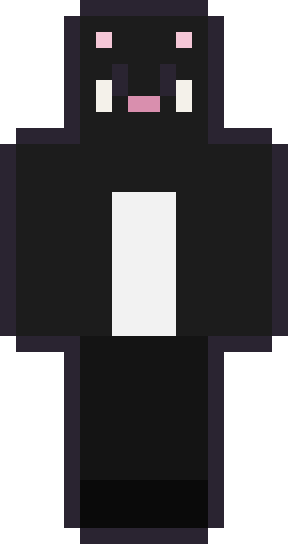
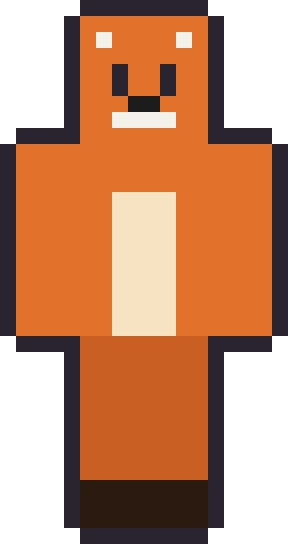
Tabby is the classic orange cat with a cream belly and matching ears — the friendliest, most all-purpose animal skin of the set. Tuxedo Cat is its sleek opposite: black fur with a crisp white chest, sharp and a little formal. Foxy trades cat ears for fox ears and a white muzzle, warm orange all over and full of character.
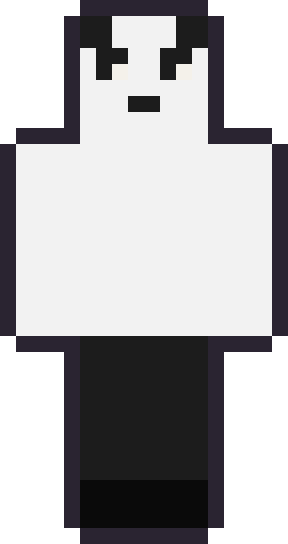
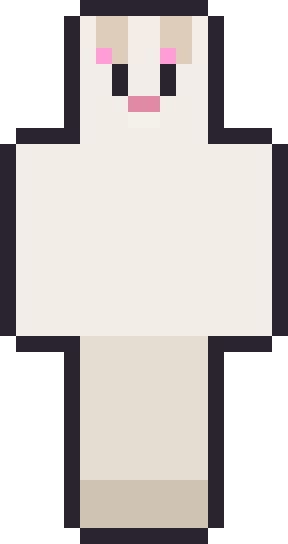
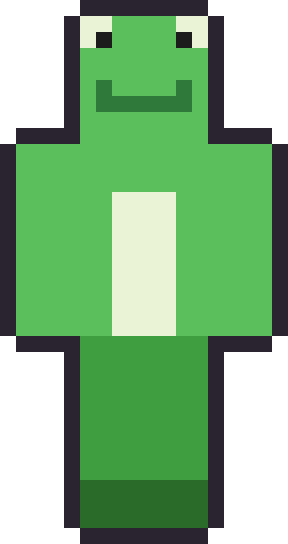
Panda Pal is the round, huggable one — white with black ears, dark eye patches and a matching nose. Bunny Hop stands out for its tall, pink-lined ears and a little pair of buck teeth, the cutest silhouette in the pack. Froggy is the wildcard: bright green with big eyes perched on top of the head and a wide, permanent grin. Between a cat, a fox, a panda, a bunny and a frog, there's a critter here for cottage-core worlds, cosy survival and anyone who just wants to be an animal for a while.
Where animal skins fit best
Animal skins suit gentle, homey worlds — farming and cottage builds, peaceful survival, hangout servers where the mood is relaxed rather than competitive. They photograph beautifully for screenshots, and they're a favourite for younger players because they're friendly rather than edgy. A pair of friends in the tabby and tuxedo cats makes an especially good matching set.
They also make a good base for a fursona or a custom creature. Because the ears and belly are simple shapes, recolouring a fox into a wolf or a cat into a different breed is a quick edit — change the fur colour and adjust the ear tips and you have a new animal. The structure is doing the heavy lifting, so your edits can be small.
Turning an animal skin into your own creature
These six are a springboard for a whole zoo. The three building blocks — ears, face and belly — are simple enough that swapping them makes a new animal fast. Take the tabby, darken the orange to grey and round the ears, and you have a mouse; take the fox, widen the ears and add a black mask, and you're most of the way to a raccoon. Because the structure is already correct, your edits can stay small and still read clearly.
The one part worth extra care is the ears, since they define the animal more than anything else. Keep them on the overlay layer so they sit above the head, match the ear colour to the fur with a lighter or pink inner, and keep them chunky — thin, fiddly ears vanish at Minecraft's resolution. Nail the ears and the face, and even a rough body reads as the right creature.
Why we draw our own critters
Animal and "furry" skins are one of the most creative, most shared corners of the Minecraft community, and that's exactly why we're careful to draw our own rather than re-hosting anyone's. The cats, foxes and creatures people upload to community sites are personal characters that belong to them. Our six are generic, friendly archetypes made from scratch precisely so we can give them away and invite you to build your own on top of them.
So treat these as starting animals, not finished characters. If one becomes the base for your own creature, that's a success — recolour it, rename it, make it yours. The only thing we ask, as always, is that you don't take our raw art and re-publish it as a pack of its own somewhere else.
A last note on why animal skins are so beginner-friendly to edit: they hide mistakes. A human skin needs believable proportions and a face that reads right, and small errors show. A cat or a frog is more forgiving — fur can be a flat colour, the face is simple, and a slightly wonky ear still reads as an ear. If you've never edited a skin before, starting from one of these animals is the gentlest possible introduction, and you'll likely end up with something you're happy to wear on the first try.
Applying them and where to go next
To wear one, save the PNG and upload it at your Microsoft account profile on Java, or import it through the in-game skin picker on Bedrock. If the soft, cosy mood is what you're after, the aesthetic skins collection pulls together the gentlest looks across the studio. And when you want something with more edge, the cool Minecraft skins pack is the darker end of the locker.
Cat & animal Minecraft skins — FAQ
Are these animal skins free?
Yes. Every skin in the animal pack is a free 64×64 PNG with no account, upload step or watermark — they're original art we drew ourselves.
How are the ears made?
The ears are painted on the skin's second 'hat' overlay layer, which sits just outside the head so the ears poke up above it. That's a standard 64×64 skin technique.
Can I recolour a cat into a different animal?
Yes. The ears and belly are simple shapes, so changing the fur colour and adjusting the ear tips turns one animal into another quickly in any pixel editor.
Which two make a good matching pair?
The orange Tabby and the black-and-white Tuxedo Cat are drawn to sit together, which makes them a natural matching set for two friends.
Want the flagship set? Browse the full cool Minecraft skins pack — the biggest locker on the site.